The Brain
Get NowA Microcontroller Unit (MCU) is a tiny, self-contained computer on a single chip. Think of your laptop or phone. It has a huge processor, a big hard drive, a graphics card, and fans. It’s designed to do everything. An MCU is different. It is designed to do one thing really, really well.
- It doesn't run Windows or Instagram.
- It runs your specific code loop, over and over again, forever.
- It is low power, cheap, and tough.
The Analogy
If your laptop is a Swiss Army Knife, the Microcontroller is a Hammer.
- The Swiss Army Knife (Laptop): It has a knife, scissors, a corkscrew, and a file. It can do 20 different jobs reasonably well, but it's complicated to use and not the best at any single one.
- The Hammer (MCU): It does exactly one thing—hit nails. But it does it perfectly, instantly, and never breaks. It is a specialized tool for a specialized job.
2. Parts of an MCU: Anatomy of the Brain
Even though it’s tiny, inside that black square are the same basic parts you find in a gaming PC:
- The Processor (CPU): The actual brain. It does the math and makes decisions.
- Flash Memory: This is like the hard drive. It’s where your code lives. When you turn the power off, the code stays here safely.
- RAM: This is the "scratchpad" or short-term memory. If you turn the power off, this is wiped clean.
3. The Pins: How it Interacts
The metal legs sticking out of the board are called Pins. They are how the brain talks to the world. We call them GPIO (General Purpose Input/Output).
Think of them like the MCU's hands. You can program each hand to do different things:
- Input Mode: The pin listens. ("Is the button pressed? Is the door open?")
- Output Mode: The pin acts. ("Turn on the LED! Spin the motor!")
Important Note on Voltage
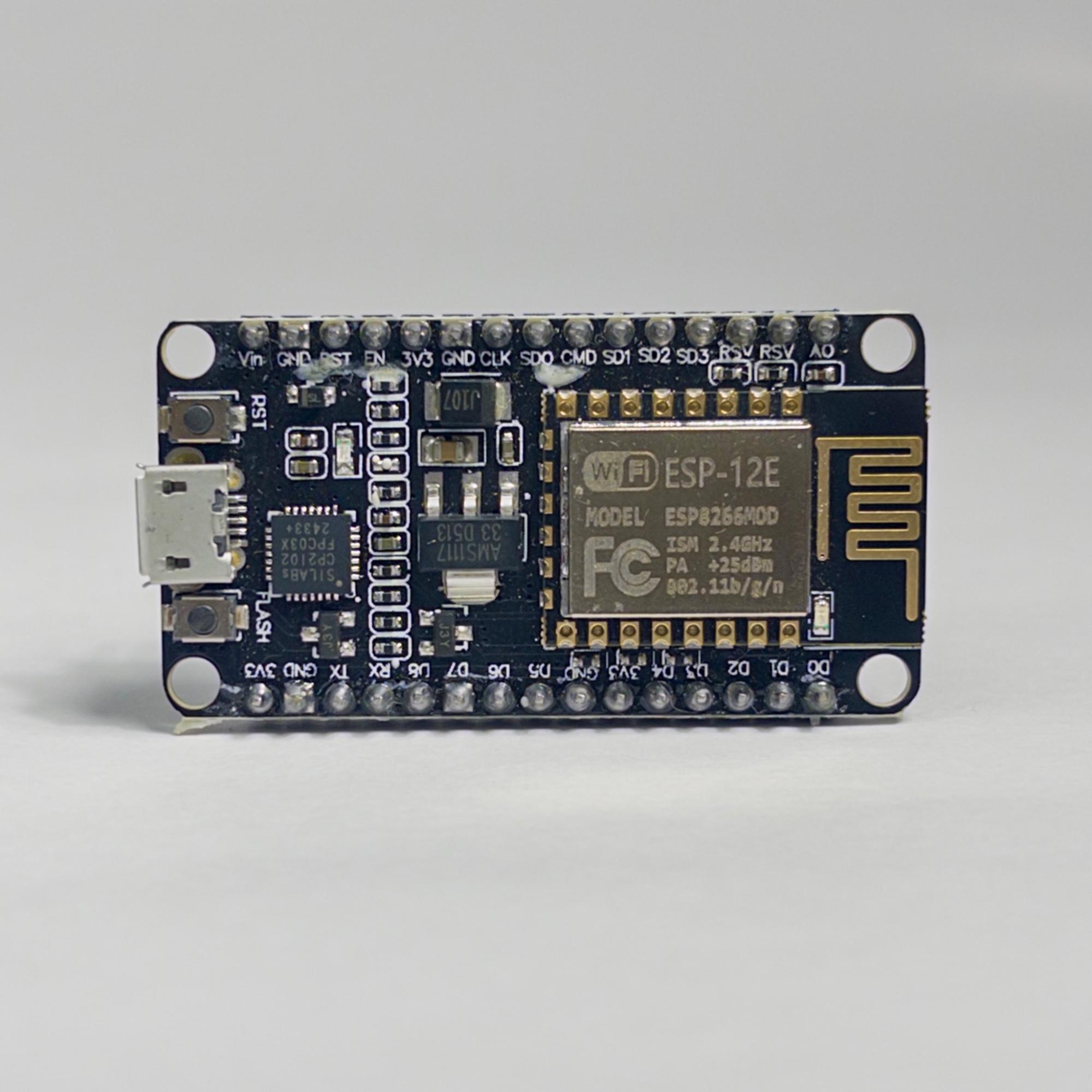
4. The Superpower: WiFi Applications
This is the main reason we use the ESP8266 instead of a standard Arduino. It has built-in WiFi. This chip started the IoT (Internet of Things) revolution. Before this, electronics were stuck on your desk. Now, they can talk to the world.
A. Station Mode (The "Guest")
In this mode, the ESP8266 connects to your home WiFi router, just like your phone or laptop does.
- Smart Weather Station: Your project can download the weather forecast from Google and display it on a screen in your room.
- Data Logging: You can have a temperature sensor in your garden that sends data to a Google Sheet every hour.
- Notifications: Your robot can send you an email if it gets stuck.
B. Access Point Mode (The "Host")
In this mode, the ESP8266 becomes the router. It creates its own WiFi network that you can connect your phone to.
- Drone Control: You connect your phone directly to the drone to fly it.
- Setup Pages: When you buy a smart bulb, you connect to it directly first to give it your home WiFi password.
C. Web Server (The Website Host)
This is the coolest part. The ESP8266 is powerful enough to host its own tiny website.
- Home Automation: You open the page and see a big "ON/OFF" button to turn on a light.
- Live Dashboard: You can see live gauges showing humidity, temperature, or distance from a sensor.